Everything WriteOut does, starting with what's about to be searched.
WriteOut finds the searches climbing in your niche, writes the post in your voice, publishes it, turns it into carousels, reels and graphics in your site's design, shares it, and keeps it current. Screens and samples below are from the app.
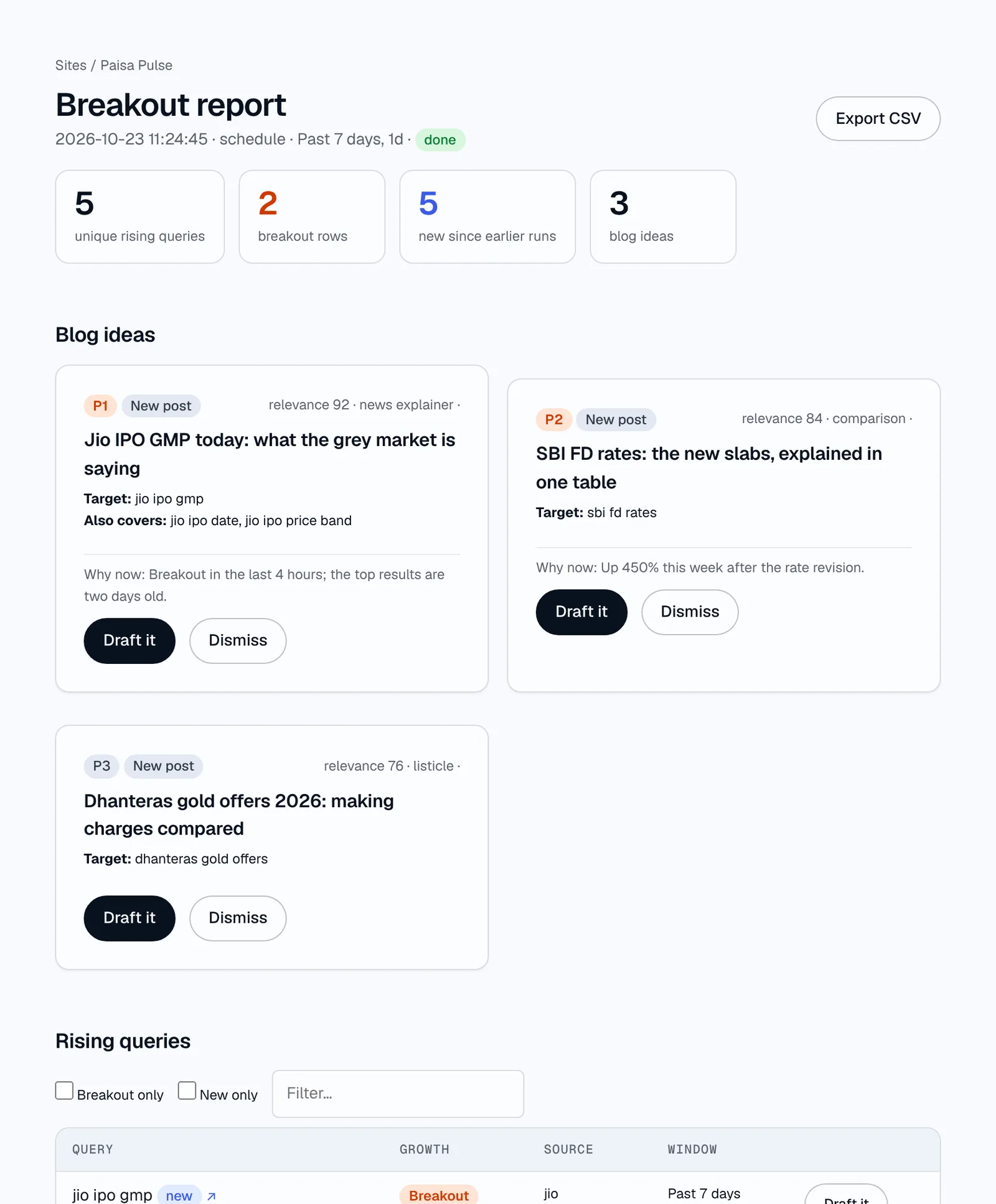
Breakout reports.
Every run asks Google Trends what's rising for your niche and turns the answer into a short, ranked list of posts worth writing today.
- Four ways to watch. Your keywords, whole Trends categories, your country's Trending now page, and seed banks that grow on their own.
- Google and YouTube. Seeds are checked on YouTube search too, which often catches reviews and how-tos first.
- Breakout and new, flagged. Anything up more than 5,000% is a Breakout; anything no earlier run found is New.
- Windows from an hour to five years, on a schedule from hourly to monthly, per site.
- Ideas, not just rows. Claude groups related searches, drops what doesn't fit your site, skips what you've covered, and gives the rest a WriteOut Score out of 100: 70+ publish now, 50-69 a fast explainer, under 50 skipped. New posts or updates to posts you have.
- The full table. Every rising search with its growth, source and window, filterable and exportable as CSV, each with its own Draft it.
- Alerts. Strong breakouts reach Telegram or your phone with a Draft button.
The first source AI answers can cite.
ChatGPT, Gemini, Perplexity and Google's AI Overviews answer from pages that exist. On a topic that broke out this morning there are almost none, so the first clear post is often the only thing they can cite. No keyword tool can put you there: to them, a brand-new search has zero volume.
- Early, by design. Breakout reports find the search while it's climbing, so your post exists before the answers are written.
- The answer up top. Drafts open with a direct answer to the search, then the detail, which is the part answer engines quote.
- FAQs with schema. Every post carries the questions people ask next, marked up as FAQPage alongside Article and breadcrumb data.
- Real sources. Only links that appear in the research, listed on the page, so the post is worth citing.
- Found fast. Sitemap resubmits and IndexNow on publish tell search engines, and the AI answers built on them, that the page exists.
- Still the best answer tomorrow. Developing stories add dated updates at the same URL, so the cited page stays current.
You can apply through your bank's ASBA facility or with a UPI ID in your broker's app; the dates, the minimum lot and the steps are set out in order. 1
Finding what to write.
Seed banks
Hundreds of short seeds for your niche, checked on schedules, growing from what they find.
Learn more →Trending now
Everything on Google's Trending now page for your country, with topic filters.
Learn more →Post ideas
Searches grouped into ideas with a WriteOut Score out of 100: publish now, fast explainer or skip.
Learn more →Schedules
Runs every hour to every month, per site.
Learn more →Region targeting
Runs for a country or a state or region.
Learn more →Topic clusters
Your topical map, with gaps found against your pages and searches.
Learn more →Writing in your voice.
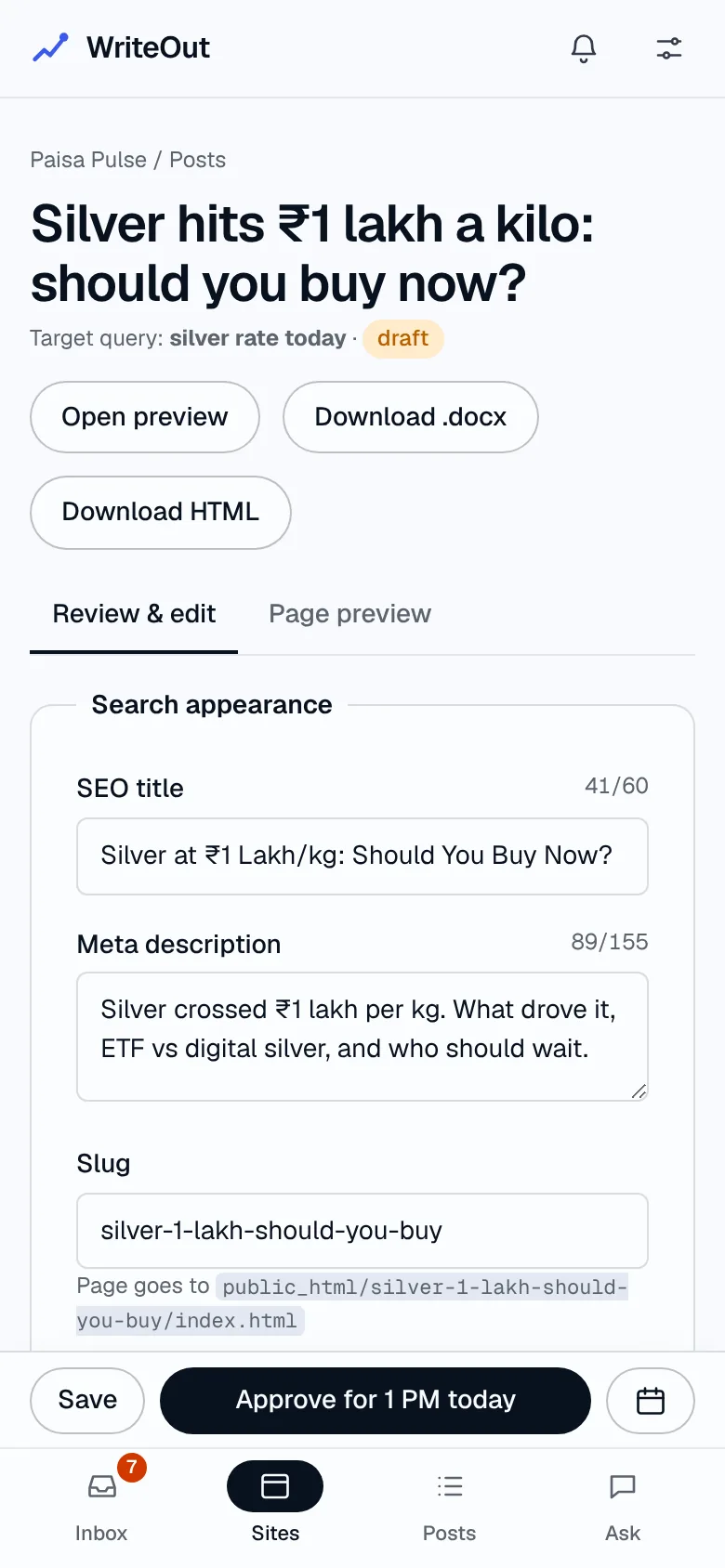
From an idea, WriteOut researches why people are searching now, then writes a complete post: title, meta description, slug, headline, body, FAQs, sources, category and label.
- Your writing guide. Upload a tone-of-voice doc, style rules or a whole Claude skill; every draft follows it.
- A quality check. Banned words, AI-style phrases, emphasis dashes and spelling are found and fixed before you see the draft.
- Real sources only. Links that don't appear in the research are dropped.
- Internal links to your relevant pages, read from your live sitemap.
- Rewrite with notes, like "shorter intro, add a comparison table".
Publishing, your way.
Nothing goes live without your OK. Approve for the next publishing slot, pick a time, or publish now.
Publishing
WordPress, static sites on Hostinger, or a Word file for any CMS.
Learn more →Word files for any CMS
Download any draft as .docx with its SEO fields.
Learn more →Site feeds
Home page lists, categories, sitemaps and RSS updated on publish.
Learn more →Asana handoff
Drafts and updates as tasks with the Word file attached.
Learn more →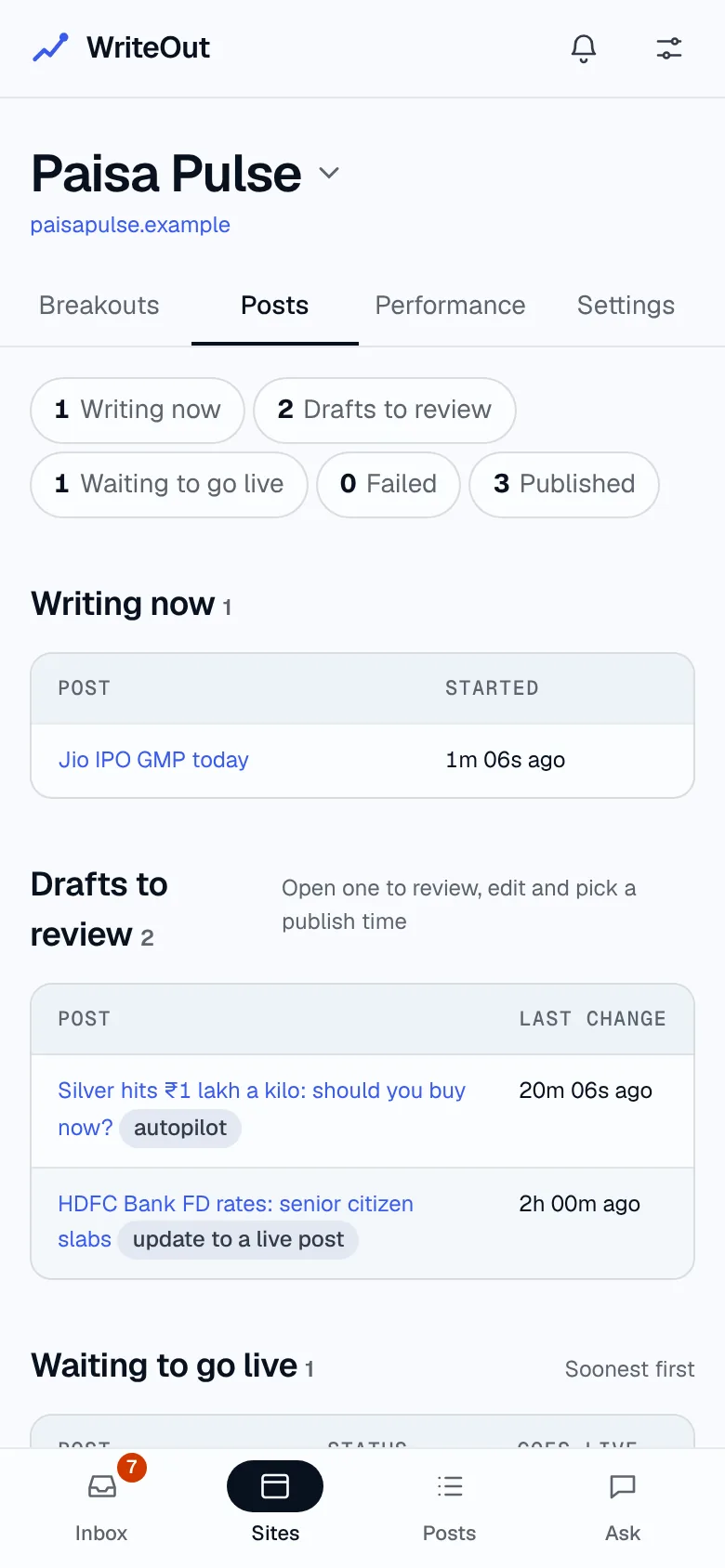
Repurpose every post.
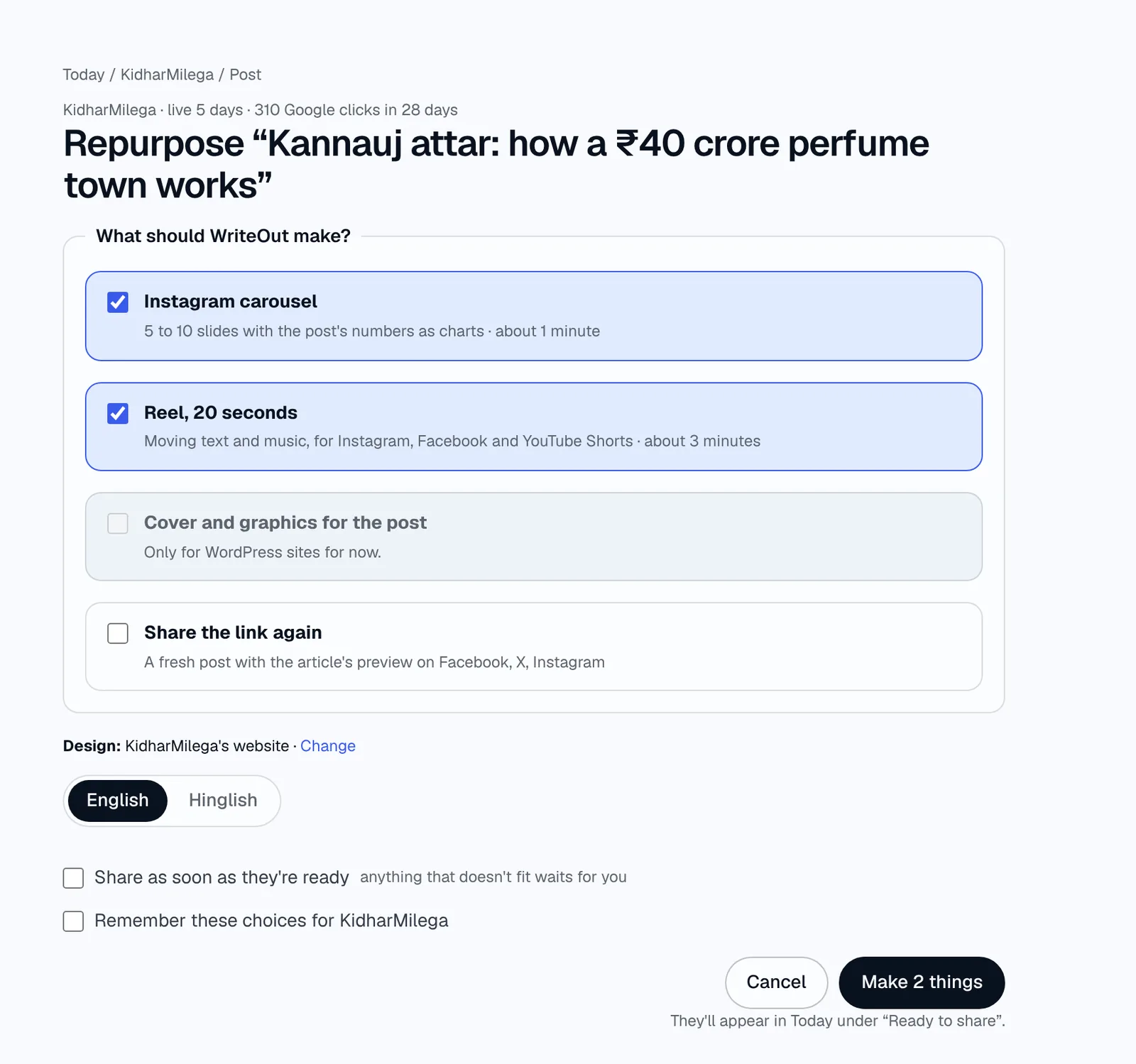
Press Repurpose… on a live post and WriteOut asks what to make. Tick any of them and they're made together, about a minute for slides and graphics, three for a reel.
- Instagram carousel. 5 to 10 slides that tell the post's story, with its numbers drawn exactly as charts, a progress bar and a swipe arrow in your colours.
- Reel, 20 seconds. Moving text cut to the beat of built-in music (or your own tracks, or none), kept clear of the apps' buttons. For Instagram, Facebook and YouTube Shorts.
- Cover and graphics. A designed cover and one graphic per key finding, placed after the paragraph it explains, with alt text and captions (WordPress).
- English or Hinglish, chosen per post.
- Share as soon as they're ready. Anything with text that doesn't fit waits for you instead.
- Checked before you see it. Text that runs off, overlaps or is crammed against a chart is found and fixed automatically.
- Redo one slide or scene with a note on what to change, or redo all.
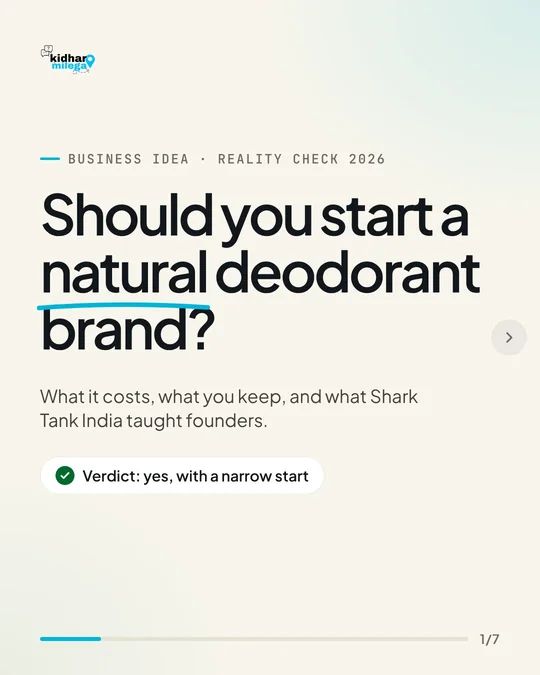
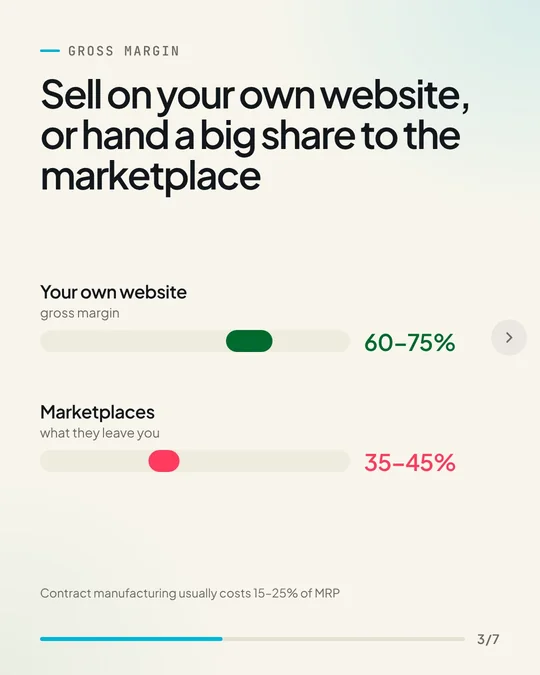
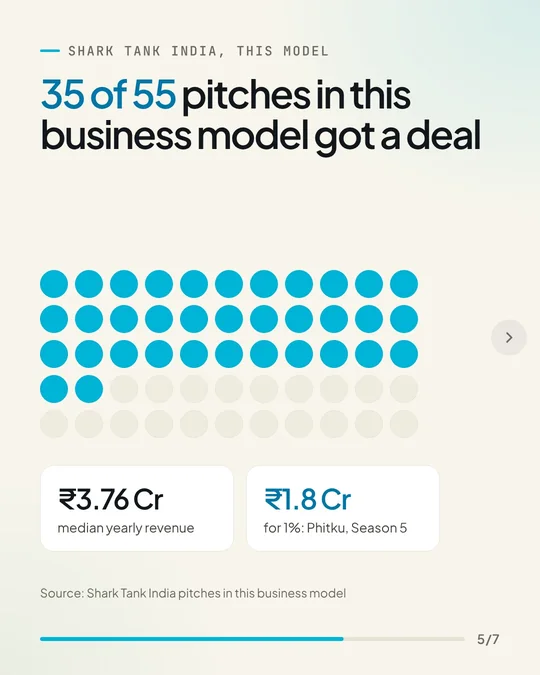
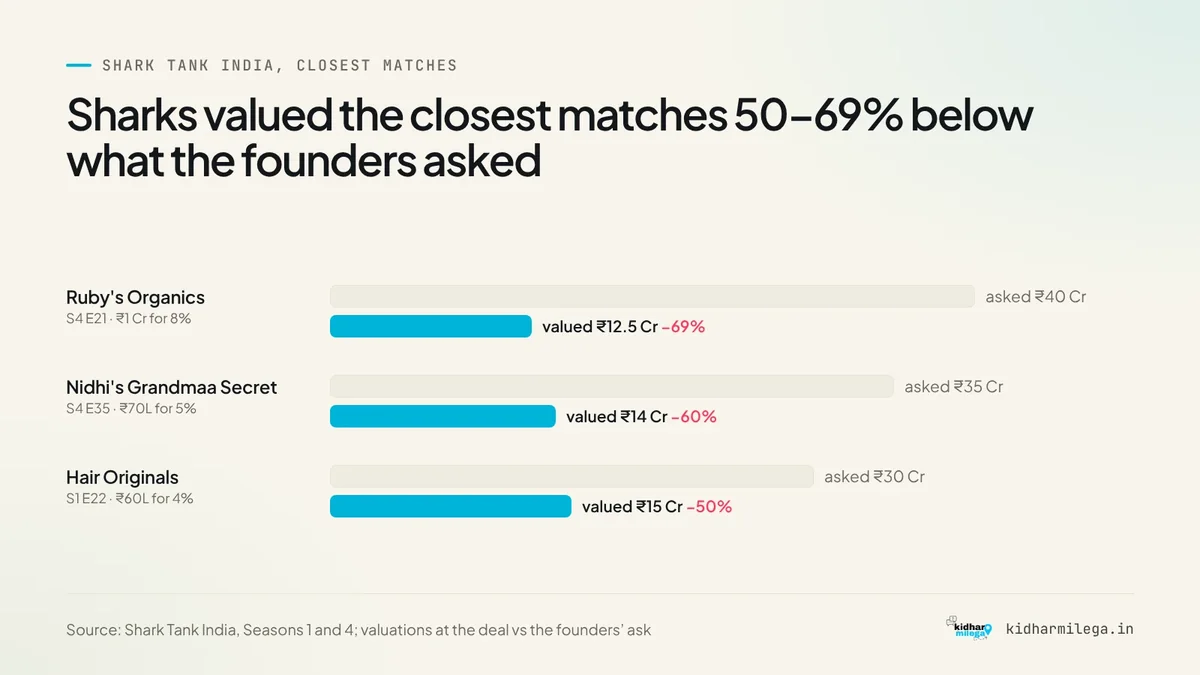
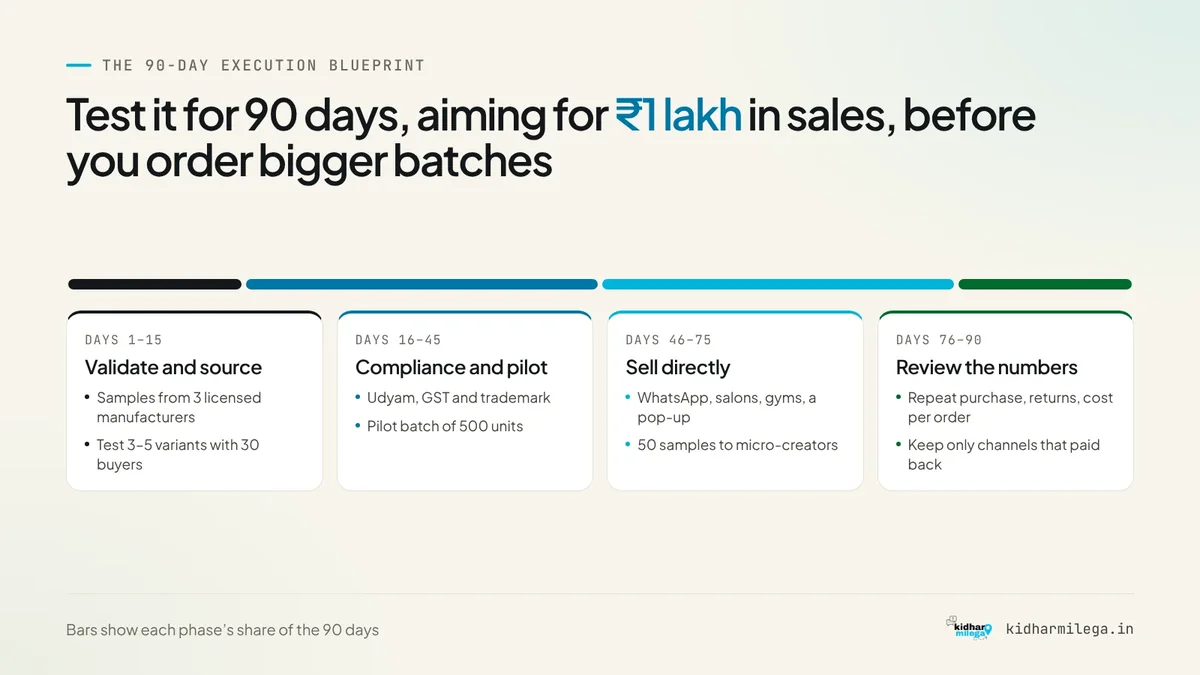
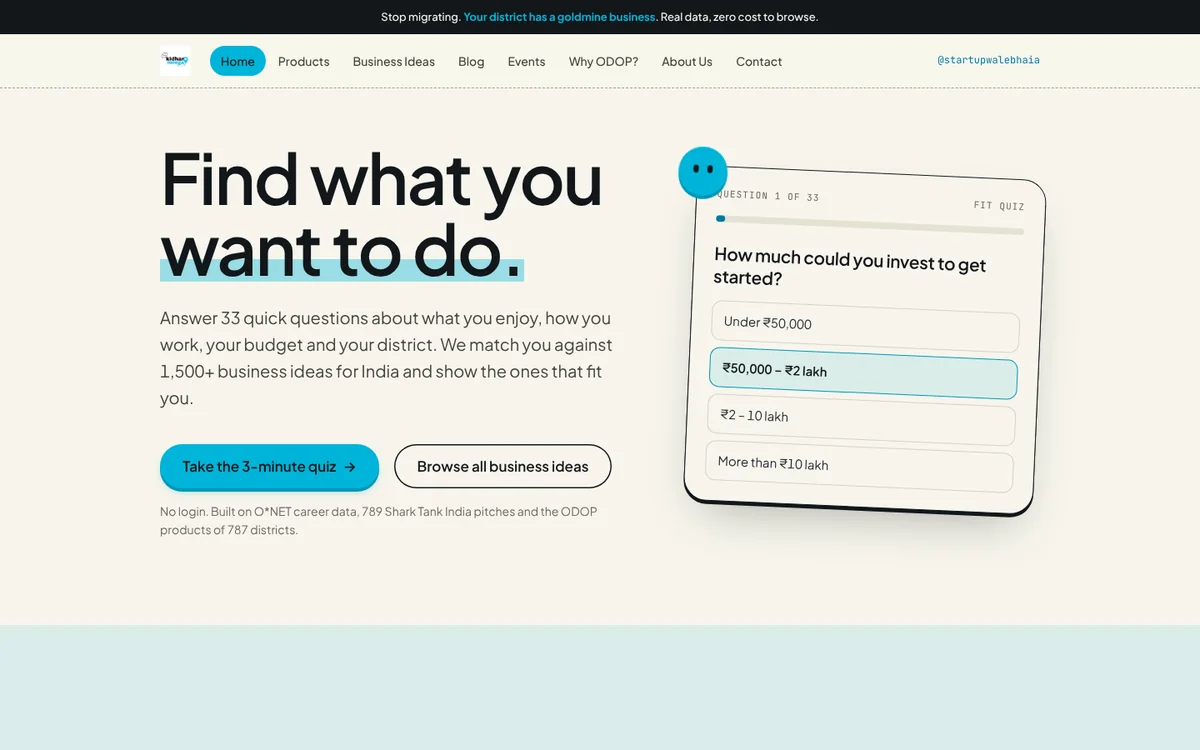
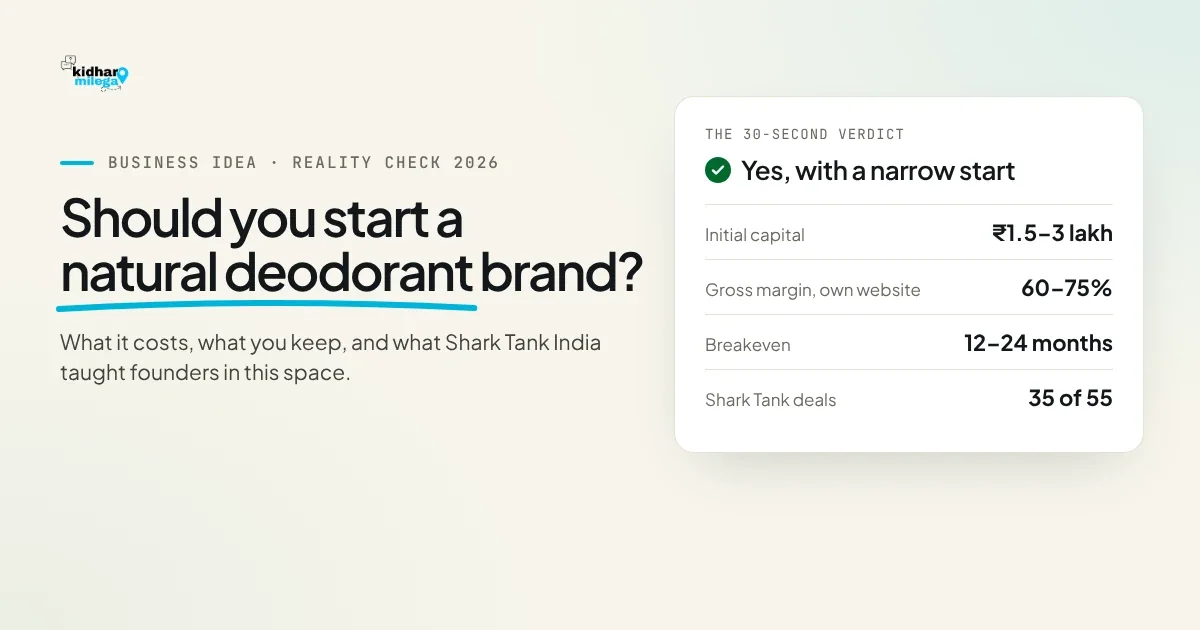
Made from one post on kidharmilega.in.
One design for everything Claude makes.
Graphics, carousels, reels and share images all follow your site's design, from any of three things, used together.
- Your website. Read when the site is added: colours, gradients, fonts and logo (a logo on a white box is cleaned up). Rescan design after a redesign.
- A reference image. A screenshot of your site, a brand board or a design you like, which Claude looks at while designing.
- A style prompt in your own words, like "bold, dark, one orange accent".

Share and send.
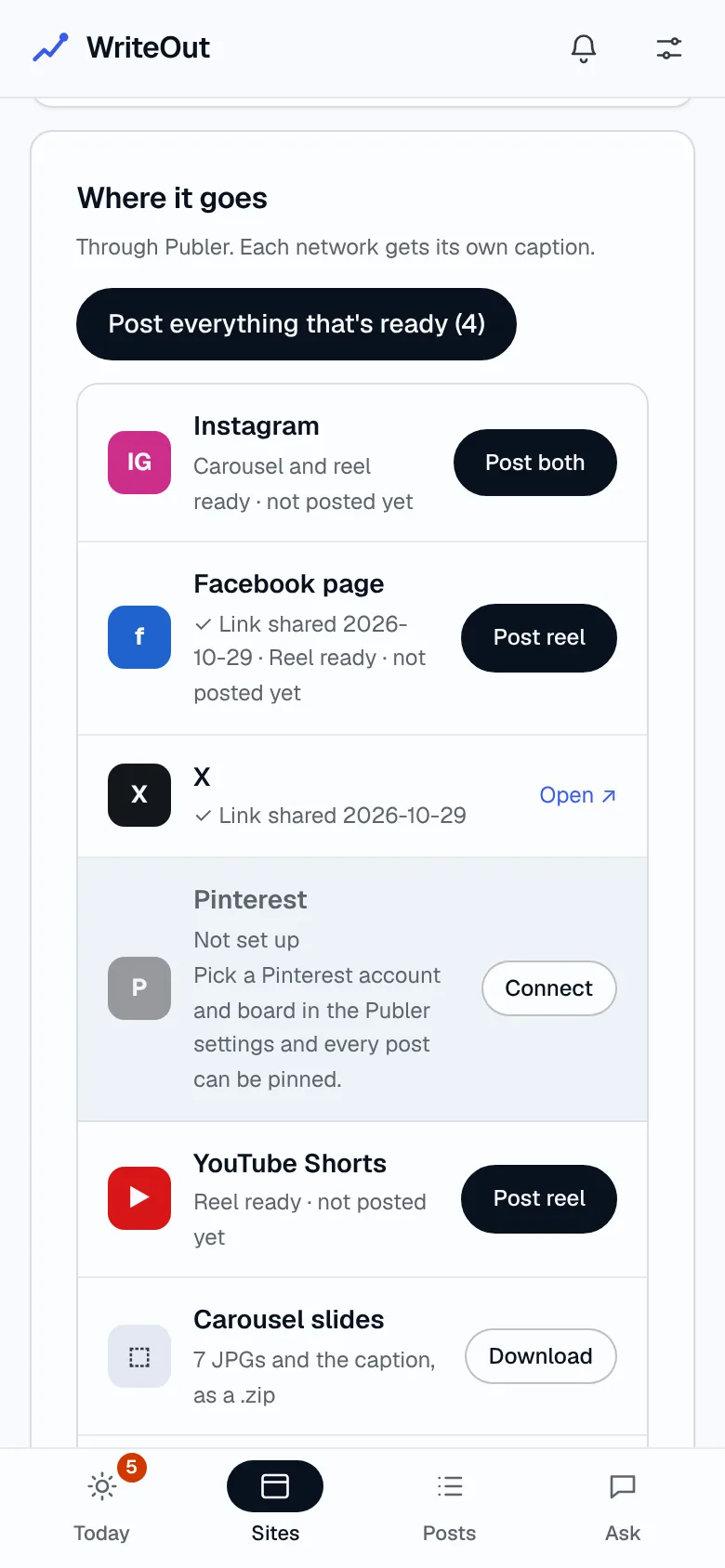
Every post's Social tab shows where it goes, network by network: what's posted, what's waiting, and one button for each.
- Instagram, Facebook, X, Pinterest and YouTube Shorts through Publer: carousels and reels, plus the post's link on every new post, automatically.
- Post everything that's ready in one click, or one network at a time. Nothing goes out twice.
- Share with your team. Drafts and updates go to Asana or Trello with the Word file attached.
- Downloads. The slides as a .zip with the caption, the reel as an .mp4, the post as Word or HTML.
- Nudges, not dead ends. Tools you haven't connected show greyed out with a Connect button.
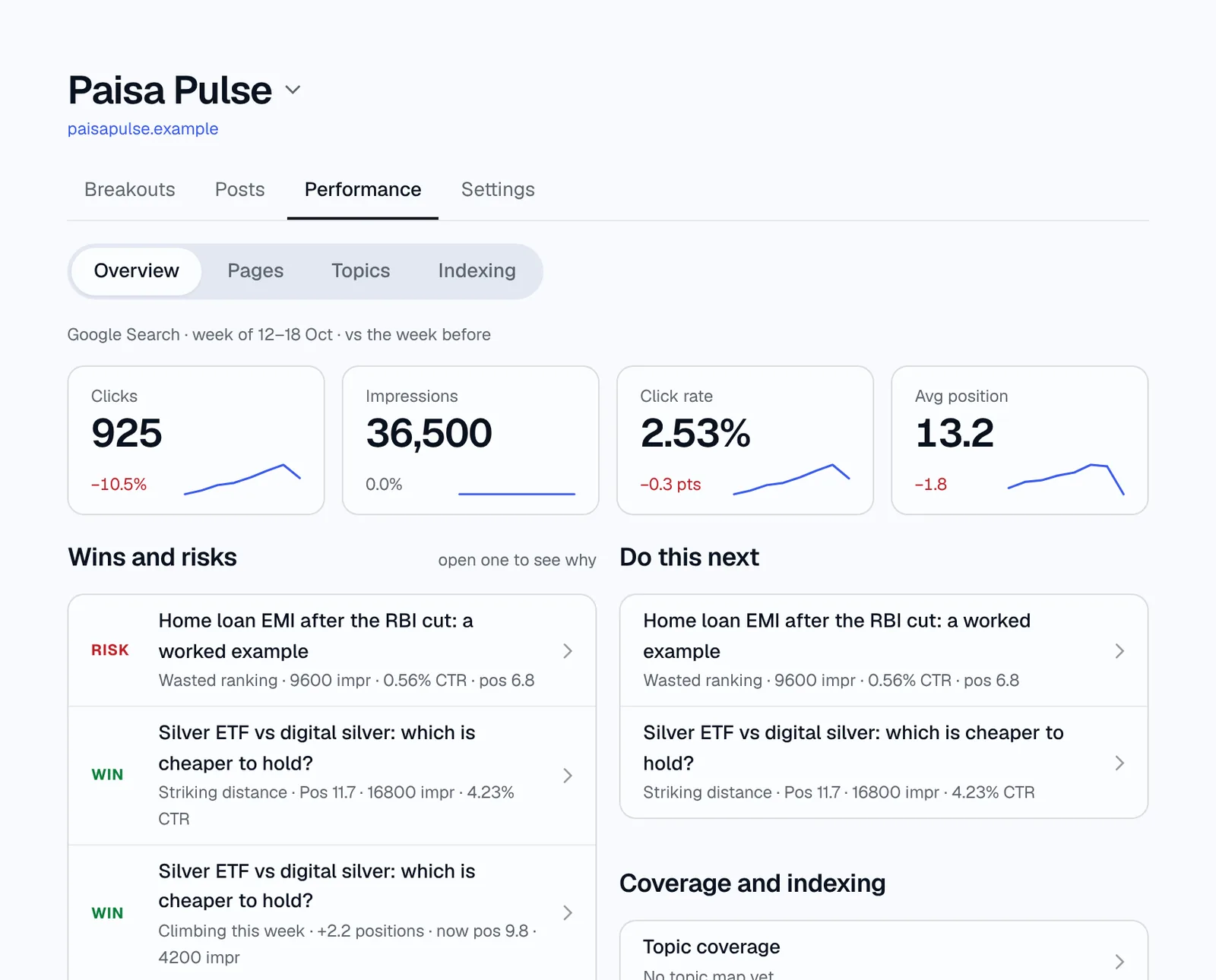
Search performance that tells you what to do.
Connect Search Console and every site gets a weekly read: what's winning, what's slipping, and a plan for each page worth fixing.
Built for Google.
Every post goes out ready to be found, read and shown well.
- Schema on every post. Article (or NewsArticle), FAQ, breadcrumb and a review where it fits, with the publisher's logo. On WordPress, FAQ schema is added, and the article schema too when no SEO plugin writes it.
- Its own share image, drawn in your site's design, for Discover, Top Stories, WhatsApp and X.
- One story, one page. Follow-ups update the post you have instead of starting a near-duplicate.
- Found fast. Your sitemap and news sitemap are resubmitted to Search Console and IndexNow is pinged on publish; the index status is checked the next day.
Posts that keep up with the story.
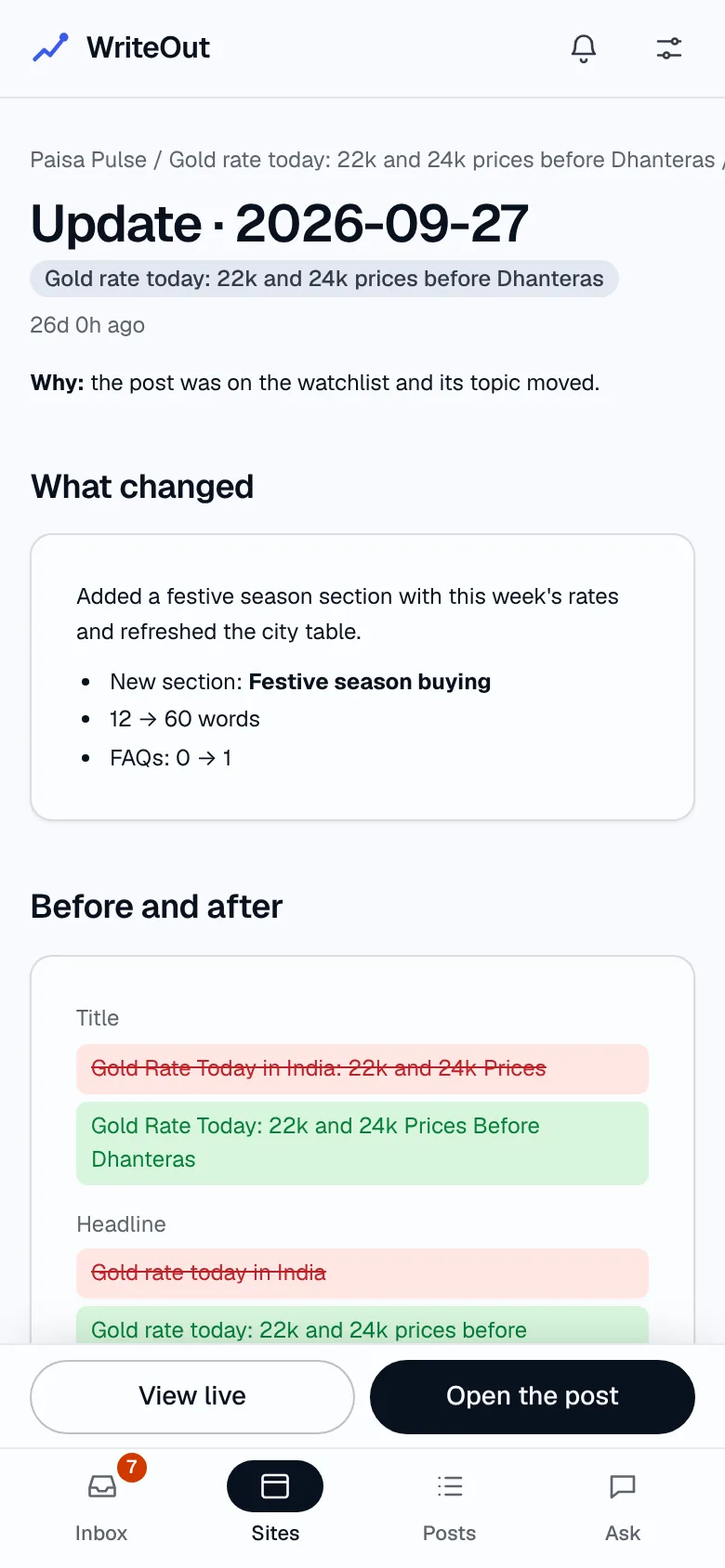
When a story moves, the best page is usually the one you already have. Watch a post and WriteOut adds dated updates at the same URL, then shows you what each update changed and how the page did the week after.
Your day, simplified.
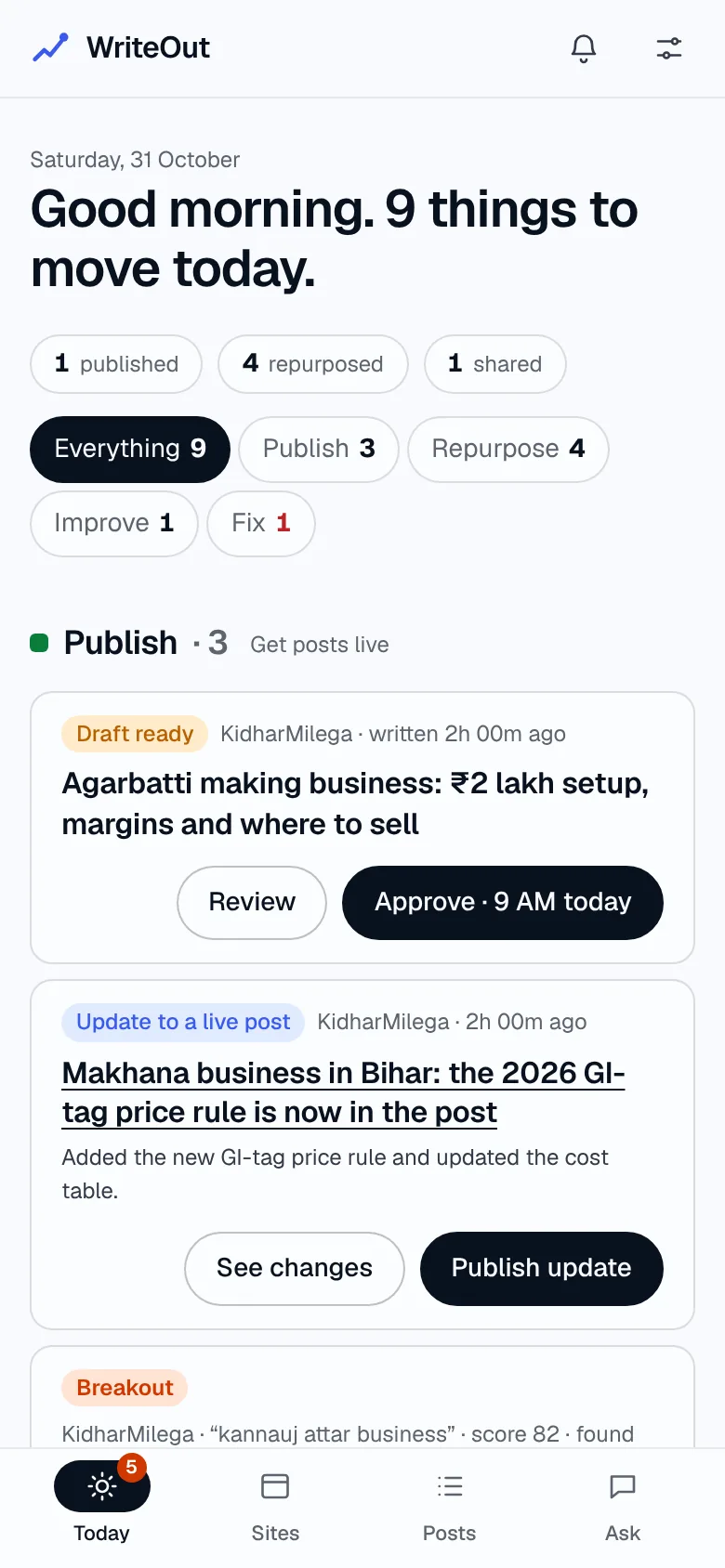
Today shows what to move across every site, in four lanes (Publish, Repurpose, Improve, Fix), each card with its one next step. And it's as hands-off as you want: get pinged and decide, let WriteOut draft strong breakouts for your approval, or let it schedule them into your publishing slots.
WriteOut is in early access.
Leave your email and the site you'd use it on. We're letting people in one site at a time.